



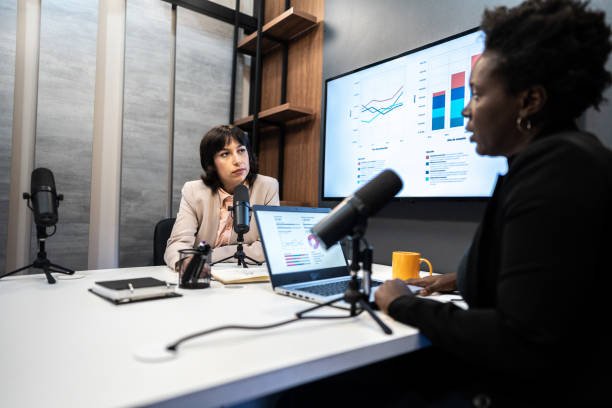
A complex recording session can become chaotic and unmanageable very quickly if no one is sure where the audio needs to go. Hosts and guests connect up to 1000 different things when they’re recording (microphones, headphones, cameras, computers, patches for guests), and there is no room for confusion. Part of your Dallas podcast studio success is knowing that signal routing will keep everything flowing smoothly so your hosts and guests can concentrate on whatever they’ve got to say. The basics of any routing system are the same: get the audio signal to where you need it when you need it. But it can be complicated when a studio has to record multiple sources and output multiple audio channels and adjust things on the fly without having to stop and start over again.
What Is Studio Signal Routing?
Signal routing is a planned system that connects a source to its destination. One vocal microphone could be routed to an audio interface, then to the recording software and, in another line of the same system, another audio source could be routed to a headphone amplifier and would be directed into the singer’s ears. More complex systems also include routing signals to a video switcher, streaming computer, remote guest platform, or an external recorder. Notice that all of these locations have a clear destination. Problems can occur when there’s no plan for where everything is going to go. An engineer could intentionally route a guest’s microphone into the wrong place, or accidentally feed that same microphone signal into the room, resulting in a distracting echo.
Don’t Lose Control While Using Multiple Microphones
Podcast studios can be surprisingly busy. A two-person podcast is manageable, but when you’ve added four guests, a producer’s microphone (called talkback in the radio world), and even someone participating from a remote location, the audio gets a lot more complex. With the cast aside, you need to be able to take a microphone or audio source and give it its own channel, a different volume level, and a clear destination in your recording hierarchy. This is done through signal routing, which allows the host microphone to be sent to one track, the guest’s to another, and the others to still more. This might sound inconsequential at first, but when you’re editing the track later, you are very happy to be able to increase or decrease only a specific voice without having to do it across the board.
Headphone Monitoring and Communication Between Hosts
Routing is the third area in which smart routing can make an impact. Regardless of whether you’re performing a live mix of the host and guests, monitoring different segments, or managing direct communication between the producer and host, a routing system can get the job done. For example, if a remote guest needs the host’s voice boosted in their headphone mix, but the studio producer wants to hear a balanced mix of the whole show, a routing system can get both. Talkback routing can also allow a studio producer to pass comments back and forth with a host between takes, without those comments appearing in the final recording. These nuances are particularly critical in long-form interviews, because nobody wants to interrupt an otherwise useful back and forth just because someone can’t hear.
How to Interconnect Audio Mixers, Interfaces and Recording Software
Most modern recording systems are a combination of several pieces of equipment, each needing to talk to all of the others. The microphone is converted to digital audio in an audio interface. Inputs, outputs, and monitor destinations are routed through a mixer or digital patch bay. The audio is recorded through recording software, which may also send playback via the interface. Routing can be done through patched hardware, software control panels, digital patch bays, or a combination of all of the above. The important thing is to know which device is controlling which device, as hookup is not always simply a matter of plugging everything in; you need to know what inputs are assigned to which tracks, where each output is going, and if the channel levels are set appropriately in the software before you actually record. A little bit of forethought and setup can help you avoid going back and recording over some tracks and getting duplicate signals or better-sounding but invisible in the mix headphones.
How Routing Is Beneficial to Video, Live Streaming and Remote Guests
Podcast isn’t just for recording a handful of microphones anymore. There could be several more cameras involved, live video feeds, remote media content, and audio feeds for one or more podcasts. This means a number of different audio signals getting to different places, and more opportunities for audio trouble. The studio might have to send a separate, clean audio mix to the recording computer, a different audio feed to a live-video streaming app, and yet another signal to the video production system. If they’ve got remote guests, those sounds have to be routed to be heard through the studio microphones, recorded on the studio computer, and sent through the transmission without creating feedback or echo. Routing can make sure those signals are kept separate when needed but blended when necessary. Engineers should consider a signal’s latency, the time delay when the sound hits the mic and is heard or recorded. Even a little delay can cause lags when the on-air talents are talking across space.
Troubleshooting Becomes Simpler When The Signal Path Is Straightforward
Nothing is foolproof, of course. A cable can fail, a new software update can switch an audio setting, or a microphone can suddenly stop getting a signal. But the important thing is how long it takes to diagnose the problem. With well-kept routing, the engineer can verify the source, check the input channel, verify the processing, and make sure the output goes to the recording device-stopping right there if the guest’s voice isn’t recorded. There’s no need to start unplugging everything. And when everything is labelled clearly and routing presets are saved, it can save even more time, as well as making it easier for a different engineer to hop into the room when the original one isn’t there.
Building a Flexible Setup That Can Grow With the Show
A good routing plan isn’t only practical for today’s recording. Podcasting changes. An episode that began with two hosts might go on to add regular guests, audience questions, video production and live shows. If the room design is too inflexible, every new requirement is just another technical burden. A flexible system allows engineers to add inputs, change headphone mixes, make a new recording feed, and change destinations without tearing down and rebuilding a room. Digital mixer and audio interfaces that are digitally routable can help, although the specific interface that makes sense depends on the workload and existing gear in a studio. Documentation can also be important; a simple block diagram of where every source ends up can cut hours of trial-and-error. The point of the effort is to ensure that when things are pressed for time, and crews are on location, nobody is improvising a technical solution.
Conclusion: Better Routing Means Better Podcast Production
Studio signal routing might not be the most glamorous part of a podcaster’s setup, but it’s something that impacts how easily a session can run. It makes sure microphones are well-managed, it gets the right monitoring mix in the ears of the hosts and guests, it allows remote interviews, and it ensures that technical issues can be diagnosed quickly. More than that, it allows the production team to spend less of their time fighting kit and more of their time focusing on what the show is really about. That’s important for businesses producing interview series, thought leadership content, or internal comms on a regular basis, and working with a b2b podcast agency to help map out recording workflows that support great audio and steady production schedules doesn’t have to mean creating the most complex setup in the world. It just needs to be something that can be understood by the people who are using it and won’t come crashing down when the goal is to take things to the next level.