



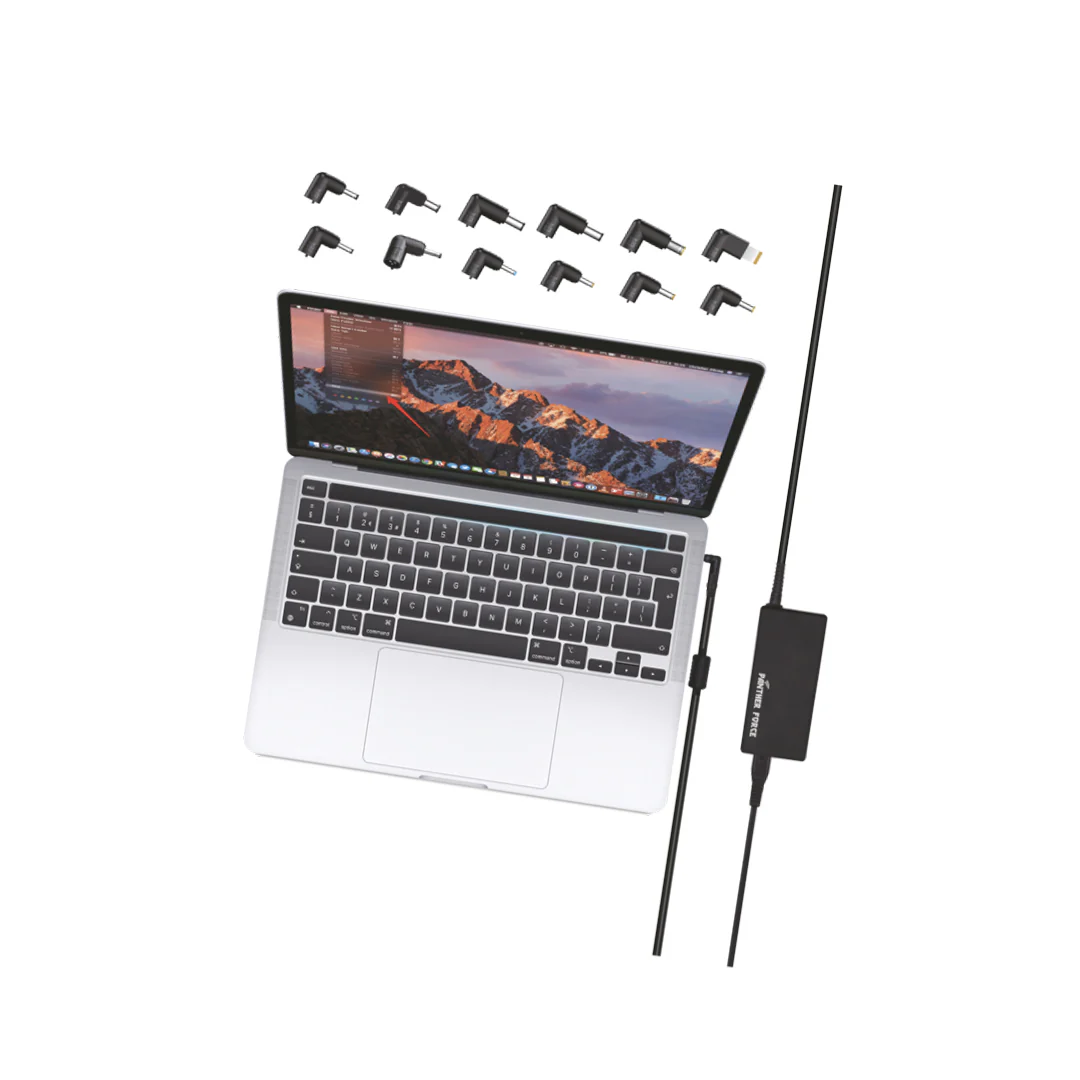
Finding a universal laptop charger for a dead or missing battery can save you time and money. A lost or faulty charger can stop you working, studying or travelling, and a replacement is often cheaper than you might expect. In this guide we explain what to look for in a charger, the key details to consider and some different options.
What Is a Universal Laptop Charger?
A universal laptop charger is a charger that can be used with a variety of laptops. Usually it has swappable connectors or multiple voltage options, so one charger can power several devices.
Typical reasons to use a universal laptop charger:
- To replace a broken or lost laptop charger
- As a backup charger for the office or your luggage
- To charge multiple laptops in a home or small business
- To support multiple brands, including Dell, HP, Lenovo and ASUS
Are Notebook Chargers and Laptop Chargers the Same?
Yes. A notebook charger is just another term for a laptop charger. Many people use “notebook” and “laptop” interchangeably when they search. If you see notebook chargers and laptop chargers in the same section, they are the same product.
How to Choose the Right Charger for Laptop Use
To choose the right charger for laptop use, follow these steps:
- Check the original charger. It should state the voltage (V), amperage (A) and wattage (W).
- Match the wattage. Make sure it is equal to or greater than your original laptop charger.
- Check the connection. A barrel connector must match the port. A USB-C laptop needs a USB-C connection.
- Check the voltage. If the charger has multiple voltage options, select the correct one.
- Look for safety measures. Protection against high voltage, over-current and short-circuiting gives extra protection to your laptop and charger.
- Check compatibility. Make sure it works with the brand and model of your laptop.
Wattage: 65W vs 90W
- 65W: Suitable for most standard laptops, ultrabooks and computers.
- 90W: Suitable for larger or more powerful laptops, since it can provide more power. It can also be used on smaller laptops.
If you are unsure, check the wattage on your original adapter. If you choose a charger with insufficient power, your laptop may charge slowly, or may not charge under load.
Laptop Power Adapter Options at Panther Force
There are a variety of laptop power adapter options available at Panther Force. The prices below are current from the product range, but prices may change.
- PF172 90W Universal Laptop Charger: £24.99
- PF171 Universal Laptop Charger Adaptor 65W: £22.99
- PF252 65W Type-C Fast Laptop Charger: £21.00
- PF239 2-in-1 Charging Cable for MacBooks: £17.50
This range is suitable for many laptop brands, including Dell, HP, Lenovo, ASUS and more, and provides stable performance and secure power delivery. Please check the product page for exact compatibility.
Laptop Charger and Adapter: Other Things to Consider
A good laptop charger and adapter is the main purchase, but these extras can help too:
- Extra cables to keep at your desk and in your bag
- A laptop bag with a compartment to store your charger
- A portable battery to charge your phone while your main charger powers your laptop
- A surge protector socket for added protection
Safety Tips
Although they are a useful product, universal laptop chargers should be used safely. Follow this advice:
- Do not use a damaged cable or an adapter with cracks.
- Place the charger in a well-ventilated area, never under a blanket or pillow.
- Do not place anything over the adapter.
- Unplug it during storms or when you will not be using it for a long period.
- Avoid cheap, no-brand chargers. They often have no safety information.
- Stop using it immediately if it becomes very hot or gives off a strange smell.
Common Mistakes to Avoid
- Not checking the wattage. Always check the original specification.
- Not checking the connector size. The wrong connector may damage the port.
- Not checking the voltage. If the charger is multi-voltage, make sure the setting is correct.
- Choosing only on price. Very cheap chargers may not be safe.
- Skipping the compatibility check. Check compatibility for your specific model.
How to Set Up Your New Charger
- Read the instructions that come with the charger.
- Select the correct voltage and connector tip, if your charger has them.
- Plug the connector into your laptop before connecting the charger to the wall socket.
- Check that your laptop shows it is charging, and keep an eye on the adapter for the first few uses.
Frequently Asked Questions
Will a universal laptop charger work for my laptop?
Yes, as long as it has the correct voltage, wattage and connection for your laptop. Check both the specification on your original charger and the compatibility list.
Are notebook chargers and laptop chargers the same?
Yes.
Can I use a higher-wattage charger?
Generally yes, as long as the voltage and connector are correct. Laptops only take as much power as they need. We would not recommend using a lower-wattage charger.
Is there free delivery?
Free delivery is available on orders over £70. View the delivery page for up-to-date information.
Summary
Finding the right charger for your laptop is not difficult. Just make sure it has enough wattage, the correct connection and safety features. Choosing a reliable universal laptop charger means you have a dependable backup option, and keeping a spare charger for laptop use can save you from a dead battery at the wrong moment.